
How to See Someone's Old Instagram Usernames in 2026 (Former Username History Explained)
In 2026 Instagram shows full username history only to account owners; others see just a change count and must rely on archives.
In 2026 Instagram shows full username history only to account owners; others see just a change count and must rely on archives.
4.98 /5 - from 58k reviews
Trusted by 50,000+ creators — get real engagement delivered to your profile in minutes, not days.

Here’s the short answer: in 2026, Instagram lets me see every old username on my own account, but for someone else’s account, Instagram now shows only how many times the username changed - not the old handles.
That change has been in place since 2024, and it makes a big difference. If I’m checking a seller, brand, or creator, I can use that change count as a warning sign. Then I can look for public traces, like archived profile snapshots, tagged posts, or old links on other platforms.
What I can do:
About 100% of the exact username history is visible only to the account owner inside Instagram. For other profiles, I get only a count, not a list.
Quick Comparison
| What I’m checking | Where I look | What I can see |
|---|---|---|
| My old usernames | Settings and activity → Your Activity → Account History | Full history with dates |
| Someone else’s username history | Profile → Three dots → About This Account | Number of username changes only |
| Older public traces | Wayback Machine, tagged posts, cross-platform bios | Partial clues, if available |
If I need the direct answer fast, that’s it: Instagram no longer shows another person’s old usernames in public. I can only see the count and then work from public records.
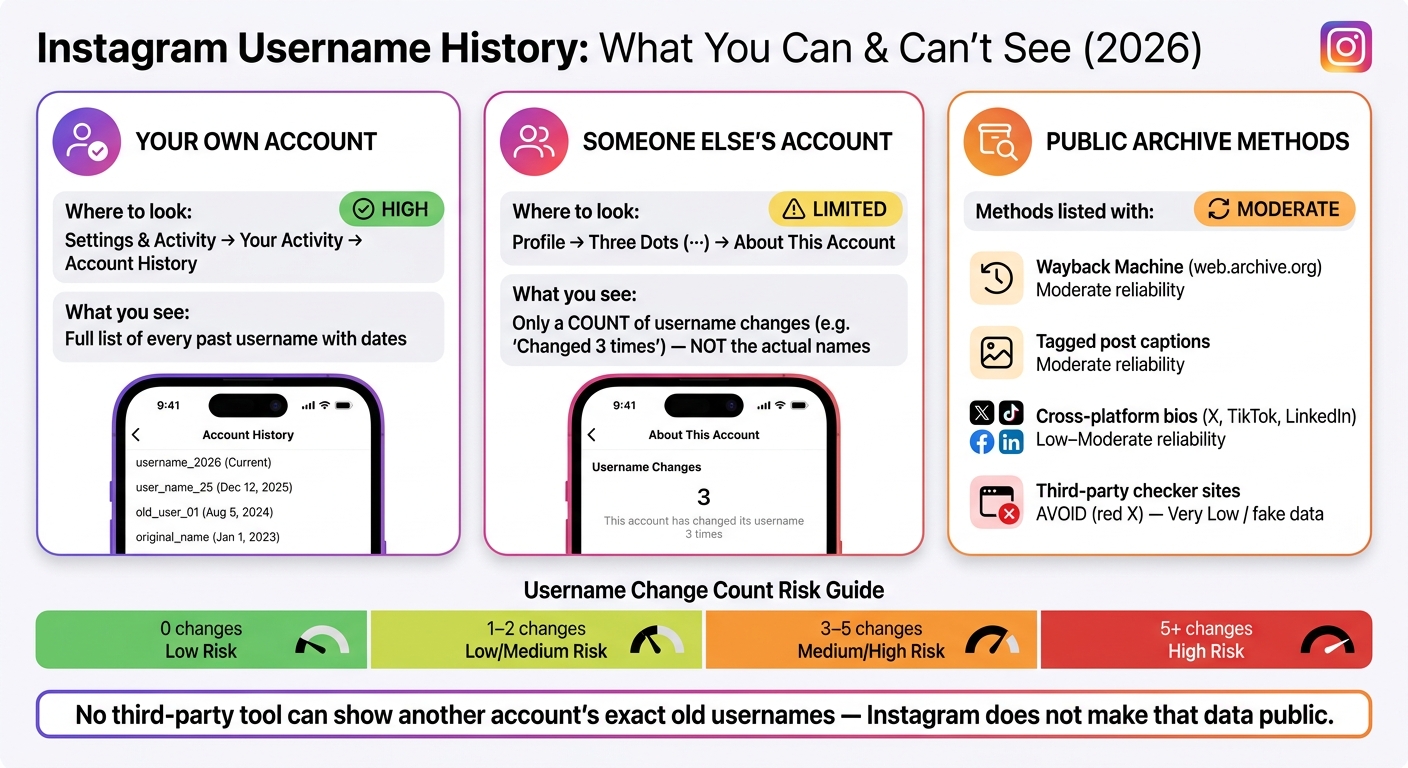
How to Check Instagram Username History: What You Can & Can't See
If you're checking your own profile first, this is the place to start. Instagram keeps username changes at the account level, so your history stays tied to the account across devices.
Inside Account History, you'll find a timeline of past usernames, along with the date and time for each change. It may also show updates to your name and bio.
Some older entries can appear as "Not available".
Open the Instagram app and follow this path:
On desktop, go to More → Settings → Account Centre → Personal details → Account ownership and control → Profile information history.
If you've never changed your username, the log will be empty. And you can't remove or hide single entries. Instagram keeps this as a permanent account-level record.
If the app doesn't show the full record, you can request a data export through Account Centre → Your information and permissions → Download your information. Choose Some of your information, then select Profile. After that, open personal_information.json to review the history.
Start with Account History because it's the quickest option. If you need older records, use the export.
| Method | Where to Find It | Use Case |
|---|---|---|
| Account History | Your Activity → Account History | Quick look at username changes |
| Download your information | Account Centre → Your information and permissions → Download your information | Recovering older data |
Next, use the same approach to compare your own history with what a public profile shows about someone else's account.
For an account you don't control, Instagram gives you just one public clue: About This Account. It tells you how many times the username changed, but not the old handles themselves.
That may sound limited, but the count can still tell you a lot. It can hint at a rebrand, a change in ownership, or a profile that wiped the slate clean.
What you’ll see is a number. For example: "This account has changed its username 2 times." You will not get a list of past handles.
If the account never changed its username, this area may show "0" or may not appear at all.
About This Account was built to help people check the legitimacy of high-reach accounts and businesses. It was not made as a public audit log.
So Instagram does not show another account’s exact username history in its public interface, and that’s on purpose. Third-party sites can’t reliably pull that history either, because Instagram does not make it public.
The count won’t tell you the old names, but it does show how often the account’s identity changed. And when you’re checking out a seller, partner, or suspicious profile, that small detail can be useful.
Treat the count like a quick warning light. Then compare the current username with the account’s posts, bio, tags, and overall theme.
| Change Count | Likely Interpretation | Risk Signal |
|---|---|---|
| 0 | Original handle; strong brand consistency | Low |
| 1–2 | Typical rebrand | Low / Medium |
| 3–5 | Frequent identity changes | Medium / High |
| 5+ | Higher risk | High |
One name change on an older account with steady content usually isn’t a big deal. Brands rename. Creators shift focus. Handles get cleaned up.
But a high count paired with inconsistent content deserves a second look. If older posts point to a totally different product, persona, or audience than what the account pushes now, that gap may suggest the account was bought for its follower base instead of built over time.
Old tagged posts can sometimes hint at a former handle.
If the count looks off, use archive tools next.
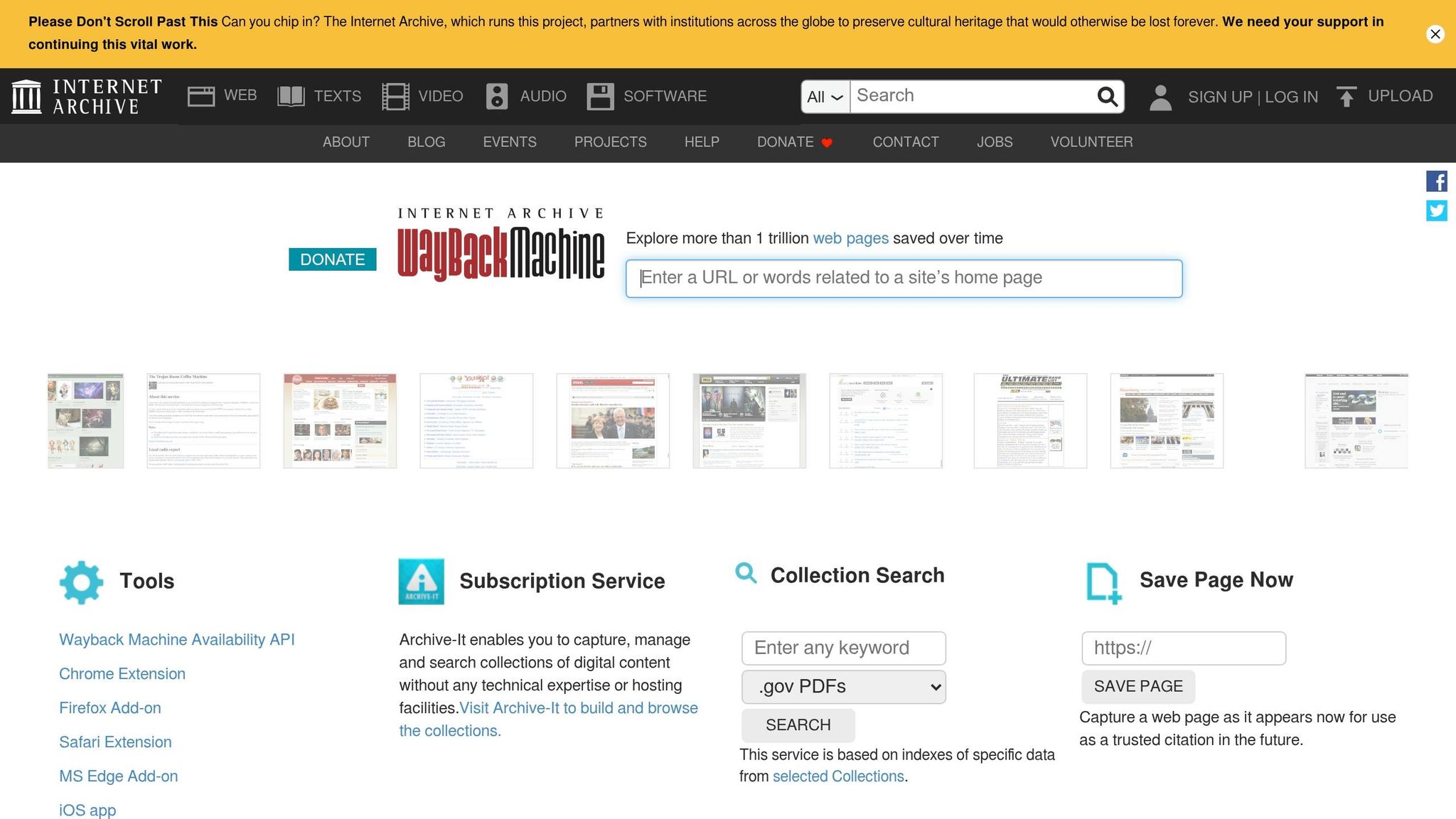
If About This Account gives you only a count, not the old names, the Wayback Machine can still help. The key is simple: use it only after About This Account confirms that changes happened in the first place.
Start by copying the full profile URL from your browser. It should look like https://www.instagram.com/username/.
Then head to web.archive.org and paste that URL into the search bar. From there, open the calendar view. Years with archived data show background bars, and days with saved snapshots show up as colored circles.
Click an older date, then open one of the saved timestamps. Once the archived page loads, check the profile header, the bio, and even the browser address bar. Those details can sometimes show the handle the account used at that point in time.
To tighten the timeline, compare older and newer snapshots. That can help you narrow down when the username changed.
One catch: archived Instagram pages are often incomplete because of Instagram’s bot protections. And if the profile was private, it usually won’t be archived at all.
If the archive doesn’t give you much to work with, you can still piece things together from other public signs.
When the Wayback Machine comes up short, use a few backup checks as part of the same verification flow:
Sometimes one small clue is enough. A tagged caption from years ago or an old bio on another platform can fill in the gap.
No third-party tool can reliably show another account’s exact former usernames because Instagram does not make that data public. So when a site claims it can do that, it’s usually doing one of three things: pulling from the Wayback Machine, scraping shaky data, or just making things up.
That’s why these sites tend to be risky. Many sit behind paywalls, collect user data, or show fake results.
The slower path is often the safer one. The Wayback Machine, tagged captions, cross-platform checks, and reverse image search all rely on public information and don’t put your account at risk.
| Method | Reliability | Best For |
|---|---|---|
| Wayback Machine | Moderate | Public accounts with older history |
| Tagged post captions | Moderate | Handles used during specific past events |
| Cross-platform / reverse image search | Low–Moderate | Catching recent or unmirrored changes |
| Third-party "checker" sites | Very Low | Avoid - security risks and often fake data |
That helps with verification. But just as important is the reason behind the switch. If the archive trail is thin, the next move is to look at why the account changed usernames in the first place.
Most username changes are normal. Brands shorten handles. Creators rebrand. Companies line up Instagram with their legal name or with the names they use on X, TikTok, or LinkedIn.
What matters is the story behind the change. Does it make sense from the outside?
If the answer is yes, there usually isn't much to worry about. But if an account has changed names a lot and there's no clear thread tying those changes together, that's a different story. It can point to niche-switching, repeated rebrands, or an attempt to shake off old spam baggage.
Treat the username-change count as a clue, not proof. Then check whether the account's story holds up.
When those signals line up, a username change on its own usually isn't a red flag. When several things feel off, the change count starts to matter more.
Use this quick reference to separate what Instagram shows from what it keeps private.
| What you're checking | Where to look | What Instagram shows |
|---|---|---|
| Your own past usernames | Settings and activity > Account Center > Personal details > Account ownership and control > Profile information history | Full list of every former handle and the date it was changed |
| Whether another account has changed usernames | Profile > Three dots > About This Account | A numerical count of how many times the username has been changed |
| Exact prior usernames for another account | Wayback Machine (web.archive.org) | Historical snapshots of the profile as it appeared on specific dates, if public |
| Older or deleted handles via archives | Public traces (tagged posts, cached search results) | Limited; may surface mentions, not a full history |
For your own account, Instagram gives you a full private record of former handles and the dates they changed. For someone else's account, About This Account shows only the number of username changes, and the Wayback Machine is usually the best archive backup for public profiles.
That distinction is the whole game. No third-party "former Instagram username checker" can reliably show another account's exact old handles, because Instagram does not make that information public.
If you're using the Instagram username checker tool to scout a handle for your own rebrand, that's a smart next move after you've done the homework. And once you pick a handle, UpGrow can help real, relevant followers find it with AI-powered targeting and real Instagram growth experts - no bots or fake accounts.
Last updated: June 2026
Share this post&description=In%202026%20Instagram%20shows%20full%20username%20history%20only%20to%20account%20owners%3B%20others%20see%20just%20a%20change%20count%20and%20must%20rely%20on%20archives.&image=https://www.upgrow.com/blog-images/assets.seobotai.com/cdn-cgi/image/quality=75,w=1536,h=1024/upgrow.com/6a430cae2902db05ecd86423-1782782325916.jpg)


